Choom.gg Feature Updates
Two Drops Fresh Off the Net: Market Watch + Camera Scanner
Two big features just landed on Choom.gg. One tells you what your cards are worth. The other lets you add them to your binder without typing a thing. Here's what you can poke at today.
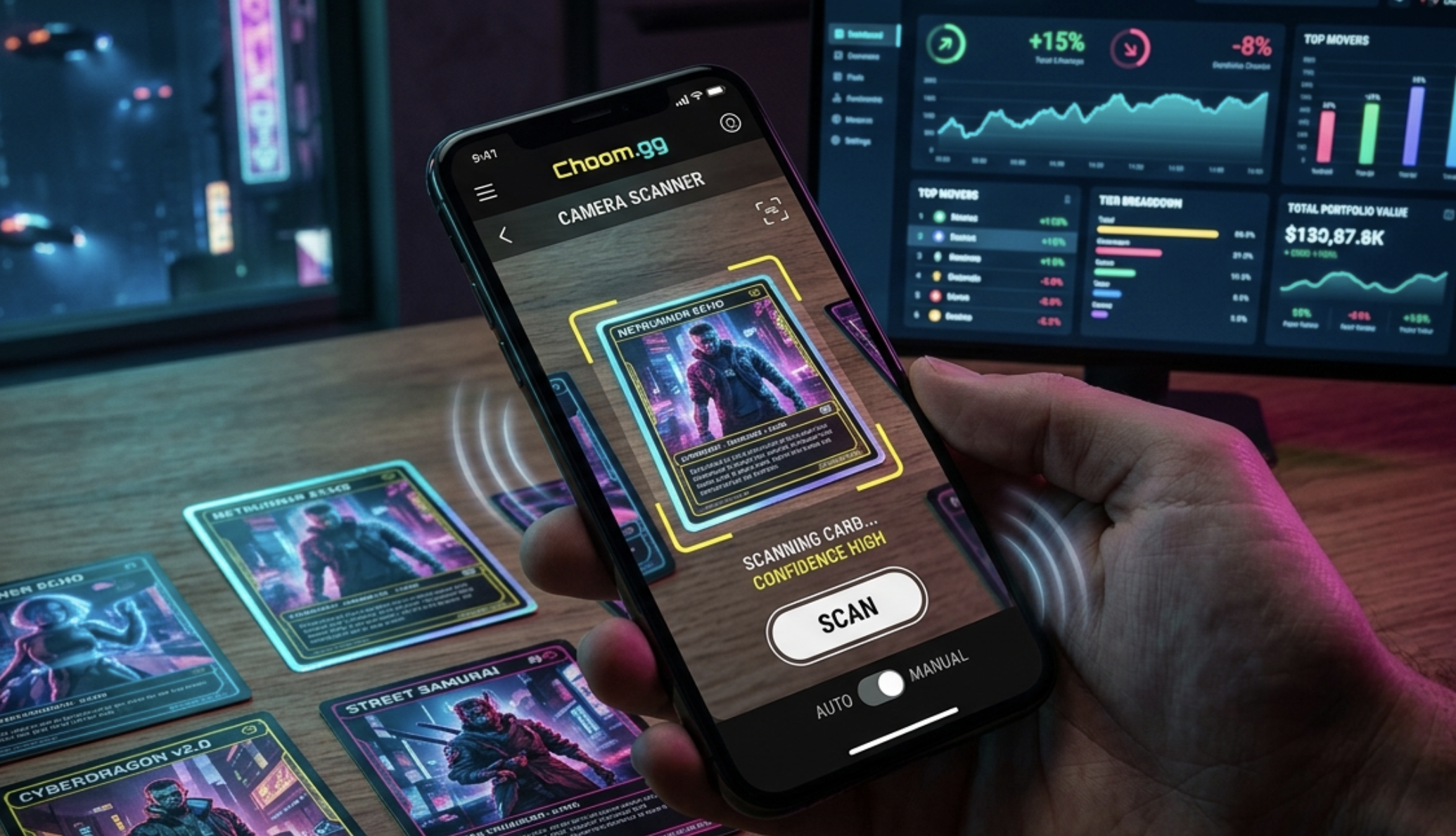
Market Watch — a sneak peek at card values
The Cyberpunk TCG hasn't launched yet, so there are no real prices flowing anywhere on the net. But the dashboard that'll track them when launch day hits? That's live right now — at /market — running on sample data.
What's in there:
- Top movers — what's trending up, what's cooling off
- Tier breakdown — high / mid / low value splits across the pool
- Your collection value — pulls from your binder and rolls up to a total
- Trend charts — momentum indicators over time
We built it end-to-end so that on day one of the real launch — the moment TCGplayer starts listing the game — real data slots in with zero app changes. Prices update, tiers shuffle, your binder value starts flexing, all automatic.
The first time you tap into /market, you'll see a preview disclaimer explaining that everything is sample data. Dismiss it once and you're in. It's there so nobody mistakes the demo numbers for real market signal — we're serious about not overpromising before the cards actually print.
Honest caveat: volume-based sections (daily traded counts, etc.) stay gated until we wire in a volume provider post-launch. Everything else is fully functional dashboard-wise; it just needs real data to become useful.
Camera Card Scanner — point, shoot, added
Open your /collection page. Tap the new Scan Card button in the header. Point your phone camera at a card. It lands in your collection. That's the whole thing.
Two modes to pick from:
- Manual — viewfinder and a shutter button. Frame the card, tap the big yellow button, confirm the match. If it picks the wrong card, a "Not this one?" fallback shows the top three options so you can tap the right one. If all else fails, there's a manual search input.
- Auto — hands-free. Flip the toggle and start sweeping cards past your camera. We scan continuously and auto-add anything we're confident about. Each add gets a haptic buzz, a count increment, and an Undo toast in case we got it wrong. Same card held steady doesn't double-add (five-second dedup), and we pause after two minutes of nothing detected so your phone doesn't cook itself.
The tech, briefly: everything runs on your device. No images leave your phone, no cloud roundtrips, no subscription. We OCR the captured frame with Tesseract and fuzzy-match the result against the card-name list. For a catalog this size, that's both the simplest and most reliable approach.
Honest caveat the second: our reference card images are close approximations of the printed cards — not the final art, since the game hasn't shipped yet. Scan accuracy will climb noticeably once real prints exist and we can index real art. Until then, expect the occasional miss; the Manual mode fallback sheet and Auto mode's Undo button are your friends.
The scanner is preview-gated behind a first-visit explanation, same pattern as Market Watch. We'd rather be honest about the state of things than oversell them.
What to kick the tires on
- /market — open it, explore the tiers and momentum sections, see how the charts feel on your device
- /collection → tap Scan Card — try both Manual and Auto. Scan three cards in a row in Auto mode to feel the rhythm.
If something misses, breaks, or just doesn't feel right, we want to hear about it. This is the phase where feedback lands hardest — we can tune thresholds, tweak crops, rewrite anything that's getting in your way before launch day traffic arrives.
Catch you in Night City.